


CodeGuide
Released 7mo ago
Coding
|Workflow
|Operations
|Education
codeguide.dev
codeguide.dev
codeguide.dev
The Vision: Why CodeGuide Exists
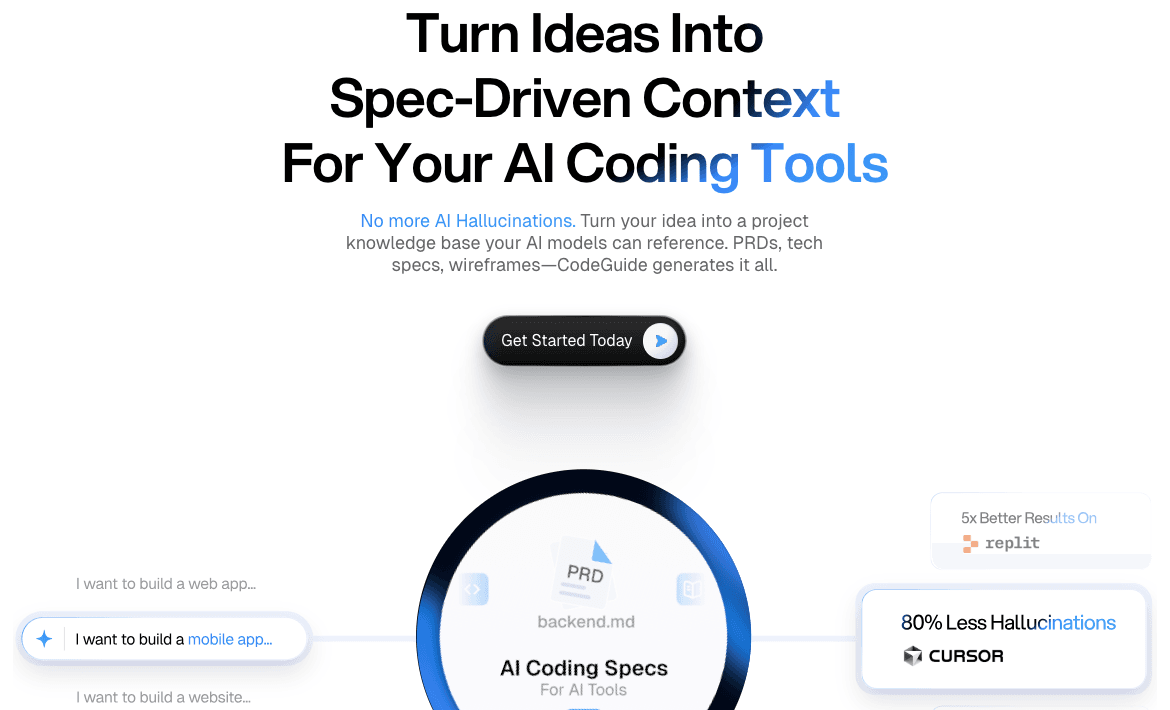
CodeGuide is the architectural foundation for AI-augmented development. It solves the critical bottleneck of AI hallucinations, where coding assistants lose track of project requirements or generate irrelevant code due to a lack of structured context. By turning a simple idea into a robust project knowledge base, it ensures that AI models have a "source of truth" to reference. Here are specific personas who benefit most:
- Solo Developers: Who need to move from ideation to execution without getting bogged down in manual documentation.
- Technical Founders: Who want to maintain high code quality and consistency while using AI to build their MVPs.
- Product Managers: Who need to generate technical specifications and wireframes that are immediately actionable for engineering teams.
The Engine: How the "Secret Sauce" Works
AI Technology: Generative.
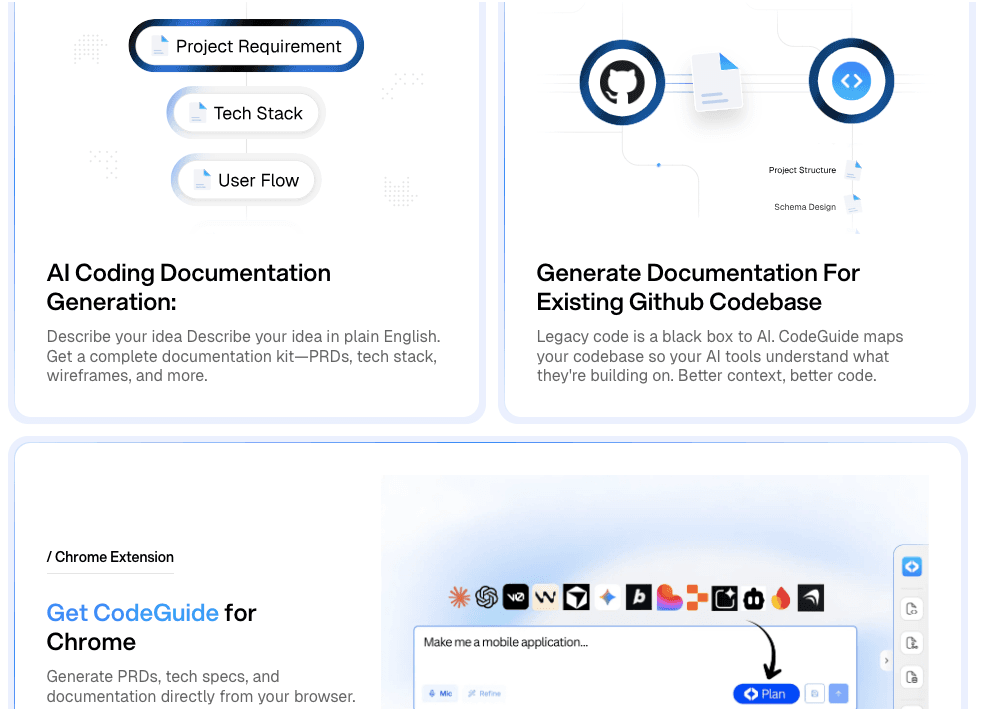
Input-Output Loop: The user provides a high-level project idea or prompt; the AI generates a structured suite of documentation including PRDs, technical specifications, and wireframes that can be fed directly into coding environments.
Innovation highlights:
- Spec-Driven Context: Moves beyond simple prompting by creating a persistent knowledge base that anchors the AI's logic.
- Multi-Artifact Generation: Simultaneously produces product requirements and technical blueprints to bridge the gap between design and code.
- Hallucination Mitigation: Specifically engineered to provide the "grounding" data necessary for tools like Cursor and Windsurf to remain accurate.
The Toolkit: Capabilities & Connectivity
Flagship Features:
- Automated PRD Generation: Creates detailed Product Requirement Documents that define the "what" and "why" of a project.
- Technical Spec Drafting: Outlines the "how," providing the deep technical context AI coding tools need to generate functional code.
- Wireframe Integration: Visualizes the user interface to ensure the AI understands the intended layout and user flow.
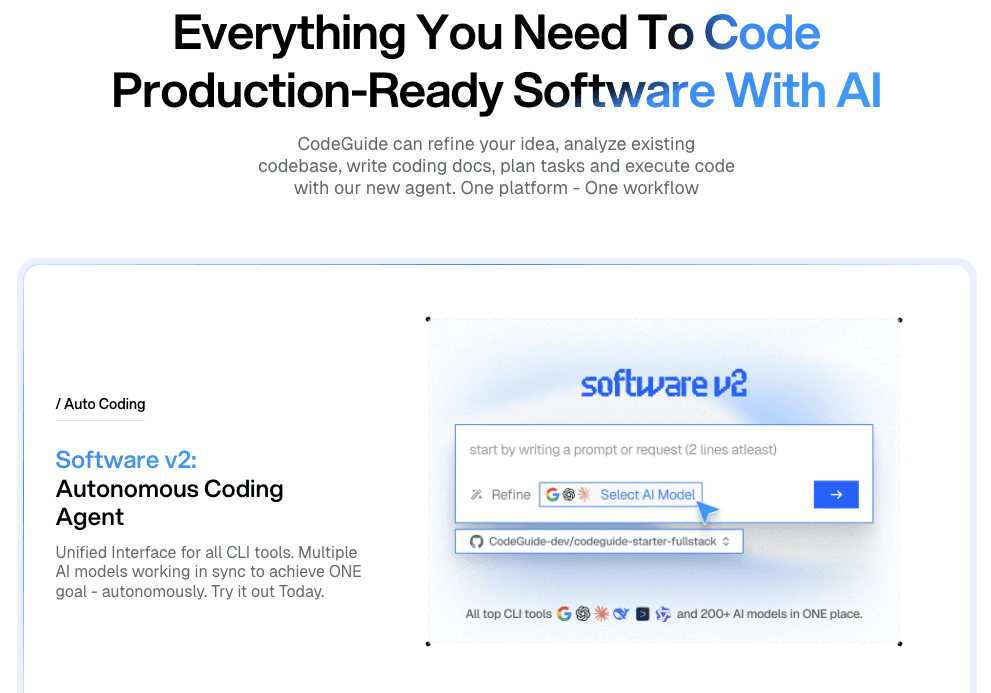
Integrations: Cursor, Windsurf, Cline, GitHub Copilot, Bolt, Lovable, Replit, v0, Claude Code, and Antigravity.
The Proof: Market Trust
Status: Rapidly growing developer tool with significant community adoption.
- 41,450+ Developers: Currently utilizing the platform to enhance their AI coding workflows.
- Broad Ecosystem Support: Compatible with over 10 major AI coding assistants and platforms.
- High-Efficiency Starter Kits: Provides pre-configured stacks including Next.js, Supabase, and Firebase to accelerate development.
The Full Picture: Value & Realism
| Pros | Cons |
|---|---|
| Drastically reduces time spent on manual documentation and technical planning. | Requires a clear initial concept from the user to generate high-quality specs. |
| Seamlessly integrates with the most popular AI IDEs and coding agents. | The quality of the output is dependent on the underlying LLM's reasoning capabilities. |
Pricing
- Free Starter: Basic access for individuals exploring spec-driven development.
- Professional Tier: Enhanced features for active developers and power users.
- Team/Enterprise: Custom solutions for organizations requiring collaborative knowledge bases.
Frequently Asked Questions
Q1: How does CodeGuide stop AI hallucinations?
A: It provides a structured "knowledge base" (PRDs and tech specs) that acts as a reference point, ensuring the AI stays within the project's defined boundaries.
Q2: Do I need to be a technical expert to use it?
A: No, CodeGuide is designed to help both technical and non-technical users translate ideas into the structured format that AI coding tools require.
Q3: Which AI coding tools does it work with?
A: It is designed to provide context for all major tools, including Cursor, Windsurf, GitHub Copilot, and Claude Code.